Wednesday, 29 March 2017

Wise Upgrade for IP Surveillance Networks


If you are looking for a POE camera, you need to research the camera before you actually purchase it. There are many IP surveillance network designers that have turned to POE technology. Using POE cameras and switches is going to eliminate the need for separate power and data cables. This is going to enable integrators to use more cameras, making sure there is a more comprehensive solution for customers.
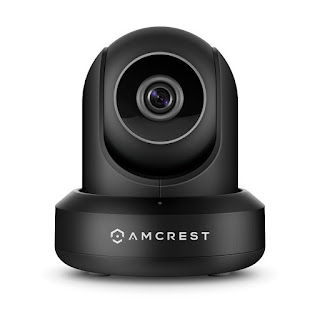
POE camera
Basics
POE cameras can be powered using the same LAN cable. A POE switch is a traditional Ethernet switch with the additional capability of injecting POE power. A POE switch commonly has 4, 8, 16, 24 or 48 ports which are going to provide power and data to the IP camera on each port. POE switches fall into three categories:

  • Unmanaged
  • Smart
  • Managed

Unmanaged
Unmanaged switches are going to provide basic connectivity between networked devices at a low cost. They are easy to use but only for simple connectivity.

Smart
Smart switches have graphical user interface with easy-to-understand controls. They are managed via a web browser. They are ideal for people who have no advanced network training.

Managed
Managed switches have a GUI and a more technical command line interface. Fully managed switches have a full suite of capabilities that are often beyond the needs of a basic IP surveillance network.

Budget
Many network designers use unmanaged POE switches because they are simple and the low cost that is involved. A POE switch can net a big value. The cost increase is minimal.
Easier Administration
Smart POE switches are easy to use, have a browser-based user interface and have straightforward communication. 

Remote Reboots and Power Control
Smart switches allow you to remotely turn on and off the POE to each camera via the GUI. The POE camera can be manually controlled from anywhere. Some smart POE switches allow you to set a time window that determines when each camera is powered on and off. 

Real-Time Power Statistics and Saving Features
A smart POE switch can provide power consumption statistics in real time:

  • Power use per port
  • Overall system power

Smart POE switches support power-saving features that are not found in unmanaged PoE switches. When reducing signal power consumption, less heat is going to be produced, resulting in extended product life and lower operating costs.

Smarter Management
As networks grow and additional cameras are added, a POE switch will be asked to supply more power. A smart POE switch allows you to manage increased power demands in a much more controlled manner.

Better Cable Diagnostics
With the use of smart POE switches, you are able to examine the quality of the copper cables connected to each switch port. 

Automatic Loop Detection
Smart POE switches also feature a loop detection function. If a loop is detected, the switch automatically shuts down the port and will alert you. Without such protection, undetected loops can wreak major havoc and cause serious traffic flow disruptions.

The Bottom Line
Unmanaged POE switches are low-cost, easy-to-use and good for simple connectivity. There are quit a few benefits gained by upgrading to smart or managed POE switches.

Source: Click Here

Tuesday, 14 March 2017

Tips on Keeping Home Safe While on Vacation


If you are looking for a wireless IP camera, you are going to have many different ones to choose from. The first step in looking for a camera is to make a list of the things that you want the camera to accomplish. The following article will give you some tips to do to keep your home safe while you are on vacation.

We all like to go on vacation from time to time. Before going on vacation, there are a few simple precautions that you yourself can make in order to make your home less attractive to burglars or would be thieves.


  • You need to make sure that your outdoor lighting illuminates all entrances to your home
  • Make sure you have a wireless IP camera in your home and monitor it
  • You need to cut back all shrubbery in order to discourage burglars or would be thieves from hiding near window and doors
  • You need to keep windows and doors locked at all times
  • You need to make sure that the garage door is closed and locked
  • You should install a peephole in your front door
  • All windows in the home should be secured with auxiliary locks
  • Sliding glass doors should be secured with auxiliary locks, which are available at all local home improvement stores, which can prevent your sliding glass doors from being lifted from their tracks during a burglary attempt
  • Deadbolt locks should be used on all exterior doors
  • Do not hide or store keys or tools outside, thinking that they are going to be hidden from would be burglars
  • Make sure to let trusted friends and neighbors know that would are going to be away on vacation
  • Do not post on different social media outlets to the world that you are going on vacation; wait until you get back to post your photos of your family vacation trip
  • Make it look like your home is being occupied when it is not
  • Attach timers to lights and television sets and set them to turn on and off at different times of the day and night
  • When on vacation, you need to have your newspaper and mail held or picked up by a friend or neighbor (you do not want to have an overloaded mailbox or lots of newspapers or miscellaneous shipments piling up on the front door step)
  • Disconnect automatic garage door openers when on vacation
  • Open some of the drapes and blinds on your windows when on vacation because during daytime hours it will give the appearance that someone is home and during the evening hours, the lights inside the house are going to be more visible
  • Mention to your local police department that you are going on vacation and ask if they will periodically drive by (many will do this) – also make sure to let them when you are planning on returning and give them an emergency contact telephone number

It is very important that you and your family go on vacation from time to time, just in order to refresh.  Before you go, always make sure you follow the above tips, such as installing a wirelessIP camera.

Source: Click Here

Monday, 27 February 2017

Security Cameras in Fast Food Restaurants


If you are looking for a wireless security camera, you are not alone. There are more and more people that today are interested in these types of cameras. One place that is popular for these types of cameras is fast food restaurants. The following article gives some basic information about the cameras that are located in many fast food restaurants.


Not Feeling Safe

In today’s world, many people are visiting fast food establishments each and every day. People are just plain busy and just do not always enough time to either cook a meal at home or may not even think they have time to sit down at a full scale restaurant and eat a meal. The only problem with this is that many people do not always feel safe when visiting these types of establishments because so many different types of people are coming and going through the restaurant all day long. Some people like to eat inside these establishments but some are just going through the drive thru so they can just eat in their car. Either way, people want to be safe and the use of a wireless security camera by the fast food restaurant will make many of the patrons feel safer. The cameras will also make the employees feel safer.

Placement of Cameras

There are many different places that the wireless security cameras can be placed at throughout the fast food restaurant establishment. It is wise to place the cameras both inside and outside of the fast food establishment. Some of the more popular places that you can place the cameras at are going to include:
  • On a pole somewhere in parking lot
  • At all entrances outside of the building
  • In main lobby area
  • In restaurant where patrons eat at
  • In restaurant where people order food
  • Outside of each restroom
  • In employee break room
  • In manager’s office
  • Where employees make food
  • Drive thru area (both outside of store and inside of store)

You are just going to want to place the wireless security cameras in any places that you know people are going to be congregating at or where they need to be closely watched at. The point of the camera is not always to snoop on others but to make sure that everyone is going to be safe. You want your store to remain safe but you also want all of your employees and fast food restaurant’s patrons to remain safe even more.

Privacy

You do not need to worry about breaking any privacy issues with the installation of wireless security cameras in your fast food restaurant as long as you are posting notices or letting people know that the cameras are going to be there. Let your employees know they are being watched. Do not place the cameras inside the restroom, no matter what. No type of cameras should ever be placed inside a public restroom no matter what you are trying to achieve because you will be facing some serious law action.

Source: Click Here

Monday, 13 February 2017

Guide to GPS Trackers

If you are looking for a GPS tracker, you are not alone. These devices have become very popular. Before purchasing one of the handy devices, it is important to do some research on them. The following article will give you basis about what exactly the trackers are and what to look for before purchasing one of them.


What is it? 

GPS tracking uses the same satellite technology that GPS navigation does. A GPS tracker is used to accurately and regularly track a person, vehicle or wherever you have placed one of the devices at. For example, you may want to place one of the devices on your child’s backpack. The devices are good for tracking:

·         People
·         Vehicles
·         Assets

You can easily and accurately track where someone goes in a car. You can also program the GPS tracker to notify you when they stop off somewhere that you do not approve of.  

Types

There are two types of GPS trackers: 

·         Historical Loggers:  can be placed in a vehicle or in a backpack and will record the tracking data internally. The device stores the tracking information inside the unit. You need to literally retrieve the device from a car or wherever you place it and connect it to a computer in order to download all the tracking information. Once you purchase the device, there are no additional monthly fees. The disadvantage of this type of GPS tracker is that you need to physically get the device every time you want to know where it has been. 

·         Real-Time Trackers: can actually track a location in real-time. You can view and monitor where the device has been in real-time on any computer or smart phone.You need to simply login to the tracker website with your username and password and you will be able to see where the tracker is and where it has been. The GPS tracker can even be programmed to send you a text message whenever the device is in motion.

Extras

There can be additional fees with real time trackers. For example you may have to pay onetime activation fee and monthly fees for the use of GPS tracker. You usually are not going to have longterm contracts and the monthly fees are going to be based on the frequency you would like the device to track. For example, you can have the device track every 5 seconds to every 15 minutes. The standard battery life is usually roughly 3 to 5 days with normal use but there are extended battery packs that will power the units for up to 30 days.Asset tracking, baby stroller tracking and elderly tracking are very popular as of recent years. The GPS trackers are also great safety devices for hiking and climbing expeditions. Most of the devices are generally very small, many times they are as small as a 9 volt battery that you would use in the smoke detector that you have inside your home.